elDoc – AI Document Workflow Automation
Highlights
Service Packages and Offerings
Quotation on Demand
Details
Package includes:
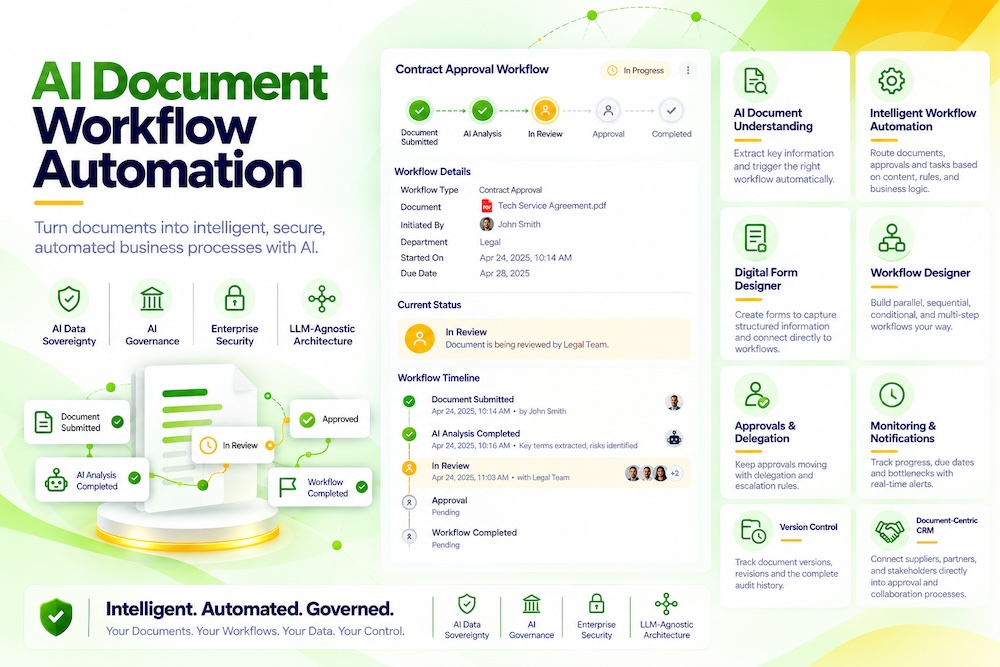
• AI reads document content, classifies it and starts the correct workflow
• Sequential, parallel, conditional and multi-stage approval processes
• Visual no-code workflow designer
• Digital forms connected directly to workflows, reducing duplicate data entry
• Automatic task assignment, alerts, reminders and notifications ⏱️
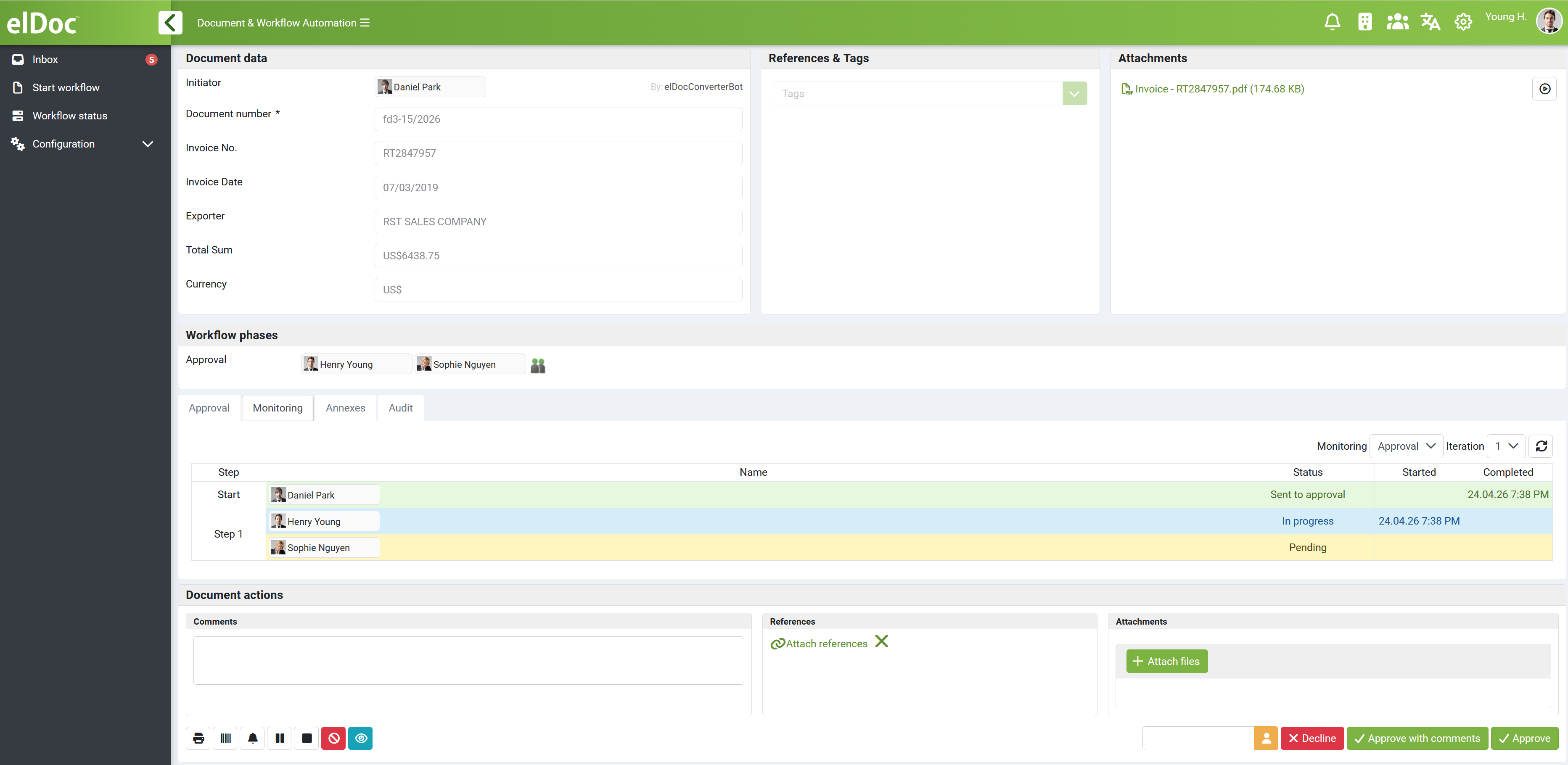
• Real-time progress monitoring to identify bottlenecks and pending work
• Authority and deputy settings to keep processes moving during staff absence
• Document version control and complete audit trails
• Online document collaboration and secure file sharing
• Granular permissions, multi-factor authentication (MFA) and security governance
• Cloud, on-premises or hybrid deployment
Ideal for invoices, procurement, contracts, employee requests, customer onboarding, expenses and other document processes requiring multiple reviews or approvals. Manage everything on one platform—from document receipt to final approval.
From document receipt to final approval—automatically routed end to end
Many SMEs still pass documents through email, messaging apps and spreadsheets. As volumes grow, approvals get missed, data is entered repeatedly, versions become confused and nobody has a clear view of progress. elDoc connects documents, forms, people and approval rules in one controlled workflow.
How it works
1. Receive a document or form — support invoices, contracts, applications, reports and other business documents.
2. AI understands the content — automatically identifies the document type and key information, then determines who should handle it.
3. Start the correct workflow — route work into sequential, parallel or conditional approval based on amount, department, document type or other business rules.
4. Follow up automatically — issue tasks, alerts and overdue reminders, and route work to an authorized deputy when the responsible person is away.
5. Complete and retain the record — preserve document versions, comments, decisions and activity history for future reference and audit.
No coding, built around your processes
Teams can use a visual designer to create and adjust workflows without waiting for developers. Digital forms can also use standardized fields and options, with every submission sent directly into the relevant process.
Visible operational improvement 🚀
Reduce manual handoffs and approval chasing, shorten turnaround times, lower the risk of missed steps, and give management a real-time view of progress and bottlenecks.